Pin a task or snag on the drawing, attach a photo, assign an owner and a deadline. myPlan.cloud helps you follow the work from assignment to sign-off – subcontractors included.
A fix is agreed verbally on a site walk, someone takes a photo, and then the information disappears among messages. At the next meeting it's still unclear who is handling it and when it will be done.
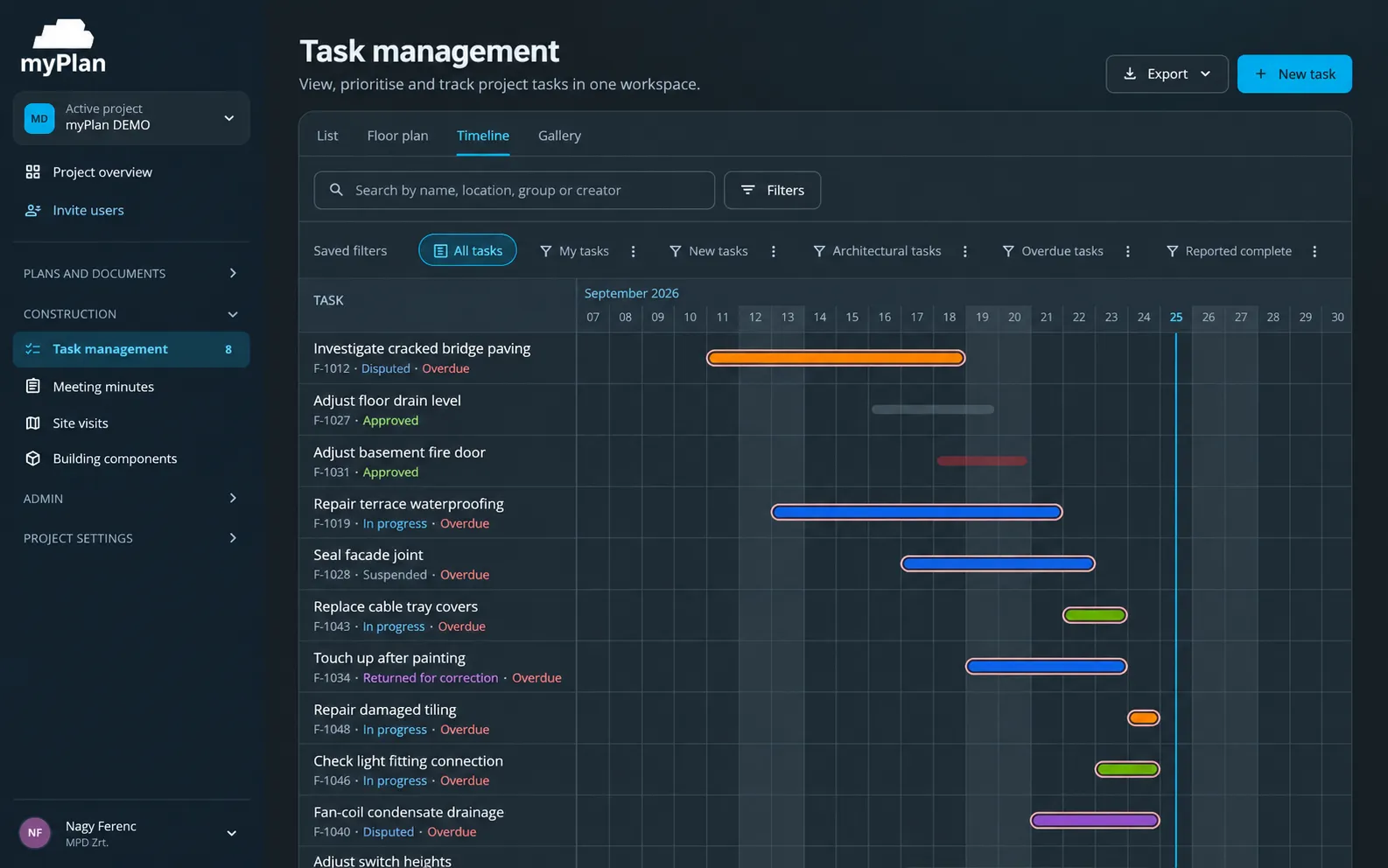
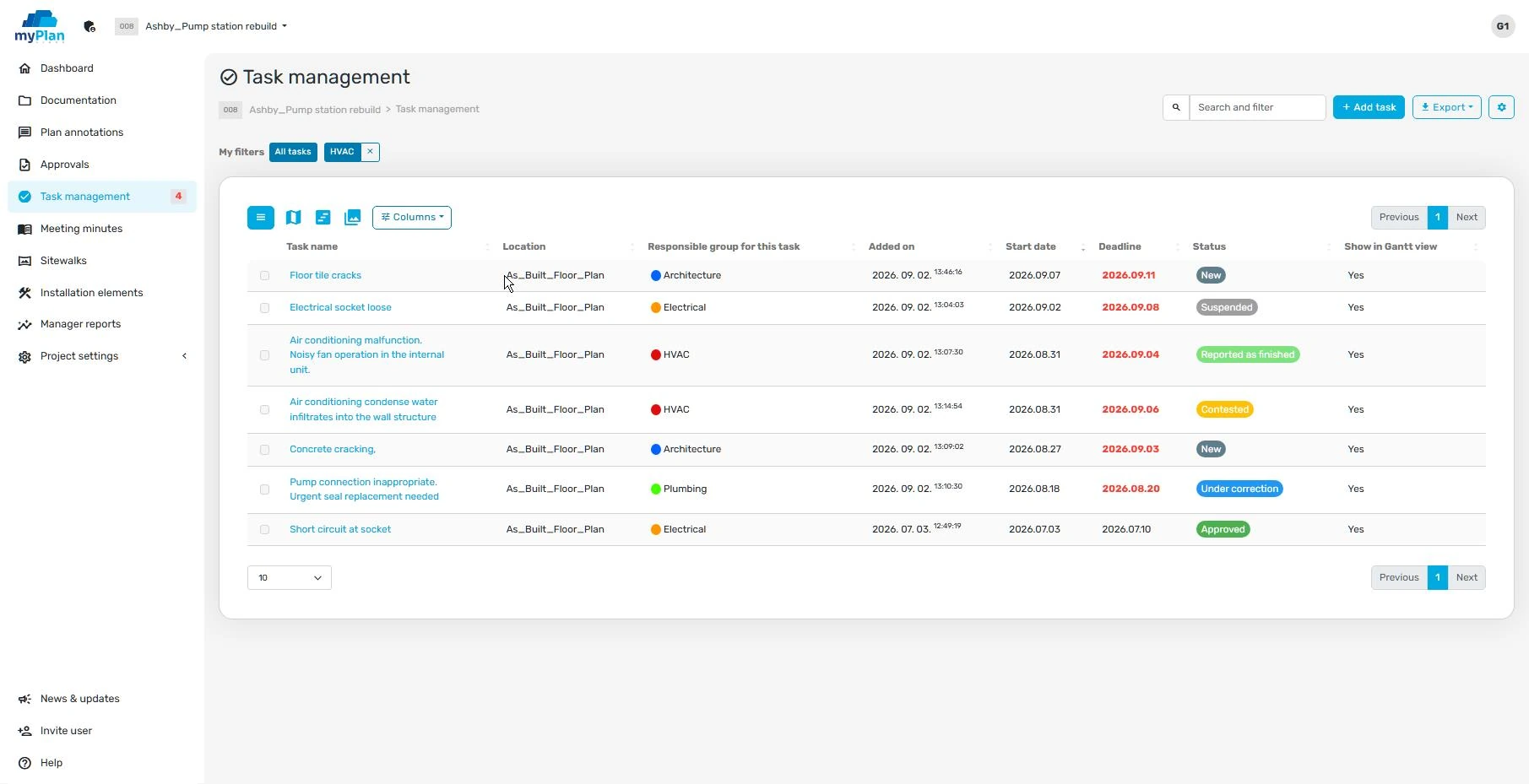
Construction task management links a site task or defect to the project with a description, a location, an owner and a deadline. In myPlan.cloud a task can be pinned to the drawing, a photo can be attached, and its status can be followed from assignment to close-out.
Snag list, task assignment and inspection in one system – together with the drawings.
Drop a pin on the drawing, describe the task and attach a photo. The owner sees exactly where to act.
Assign the work to the right participant or group and set a deadline. Tasks can be delegated further to subcontractors.
Track each task's status: new, in progress or reported complete. Participants receive notifications about status changes according to the project's settings.
Log defects even with weak signal or in a basement; the app syncs your changes the next time you connect.
Adapt task types and fields to your own quality control and handover process.
Reports help you review delays and tasks completed on time. Recorded actions can be checked in the activity log.
A good task description says what the problem is, where it is, and how you'll know it has been resolved. The photo and drawing detail make it precise; the owner and deadline keep it organised.
Describe the task, pin it on the drawing and attach a photo – right from the mobile app.
Choose an owner and a deadline; delegate to a subcontractor if needed.
Follow the status changes and inspect the completed work according to your own acceptance process.
The demo starts from your project: we look at how myPlan.cloud fits the way your team works. There is nothing to install in advance – the system runs in the browser.
After registering, you can explore the myPlan.cloud sandbox. If you'd like help, send us an enquiry using the form.
Yes. The workflow covers site tasks, defects to fix and inspection items, organised by the task types set up for the project.
Yes. The task can be pinned on the drawing, so the owner knows exactly where the work needs to be done.
Yes. Tasks can be delegated to subcontractors, who – with their own permissions – only see the tasks and drawings that concern them.
Fixing a defect can be tracked as a task, but task management is broader: it also covers coordination, inspection and other project actions.
No. The system supports tracking tasks and their status; professional inspection of the completed work remains the responsibility of the assigned participant.